Pressing the power button only to be met with dead silence, fans twitching for a fraction of a second, or chassis RGB lighting up while the monitor remains stuck on "No Signal" is every PC builder's worst scenario. Rather than randomly swapping components, diagnosing an unbootable system requires isolating where the electrical power sequence or the POST (Power-On Self-Test) initialization chain stalls.
Unbootable PCs fall into two distinct failure modes: 1) No Power (completely dead) and 2) No POST / No Display (fans spin, black screen). If completely dead, the fault almost always lies with the PSU, wall outlet, front-panel Power SW pins, or a chassis short circuit. If fans spin without video, suspect oxidized RAM contacts, corrupted BIOS settings, a missing CPU 8-pin EPS cable, or GPU seating issues. Start by unplugging the power cord, holding the power button for 15 seconds to drain residual capacitance, and reseating a single cleaned RAM stick in slot A2.
Table of Contents
- 1. Inside the Silicon: The Power-On & POST Initialization Pipeline
- 2. Category A: Completely Dead (No Power) — 5 Critical Power & Short Faults
- 3. Category B: Fans Spin, Black Screen (No POST) — 10 Hardware Failures
- 4. Motherboard Debug LED & Beep Code Diagnostic Matrix
- 5. Applied Engineering Test: PSU Paperclip & Breadboard Diagnostics
- 6. Frequently Asked Questions (FAQ)
Troubleshooting a dead PC is never guesswork; it is a systematic trace of the electrical handshake from the PSU PWR_OK signal down the motherboard POST pipeline.
1. Inside the Silicon: The Power-On & POST Initialization Pipeline
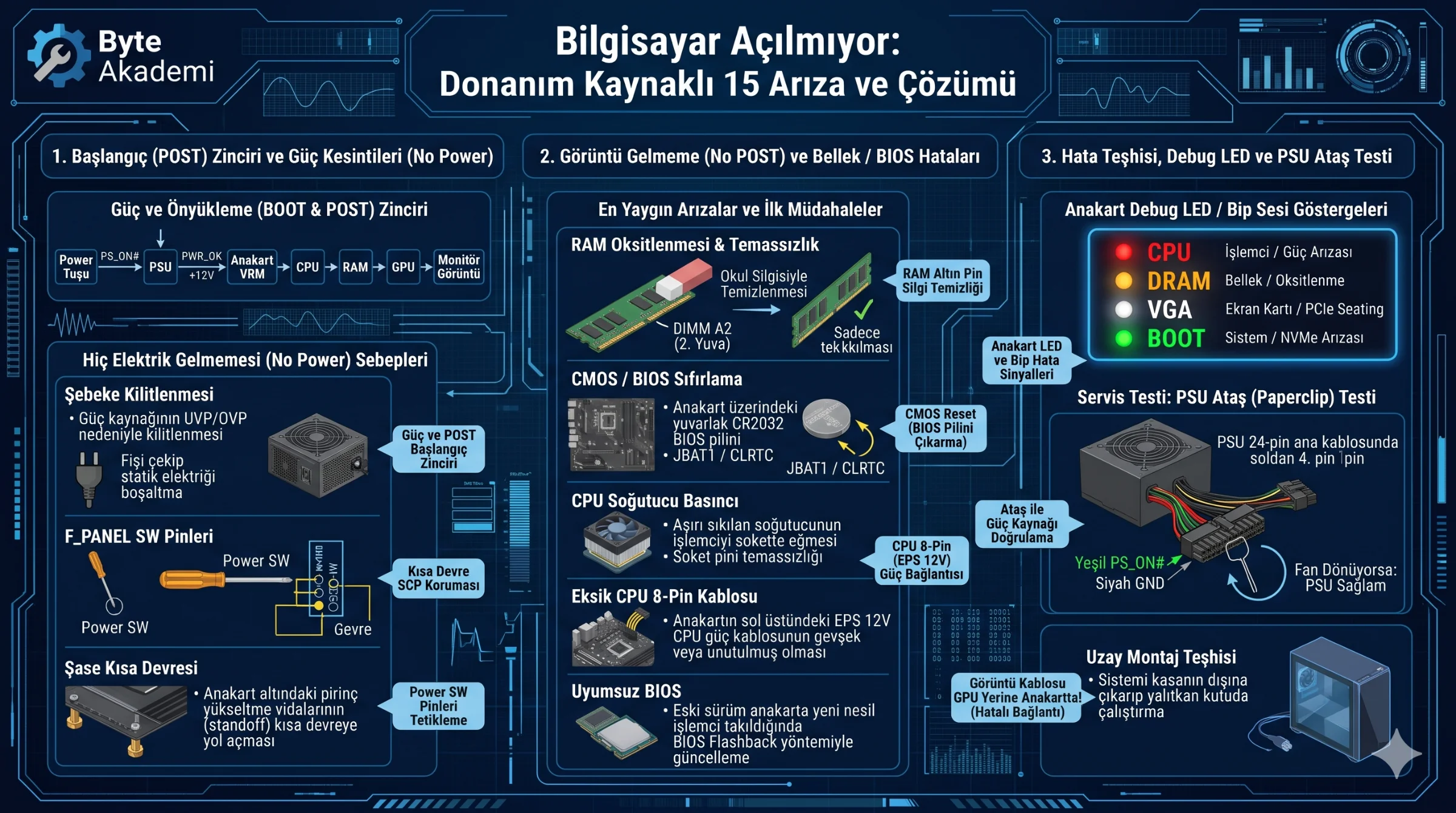
Pressing the chassis switch signals the motherboard's Super I/O controller to pull the PSU's green PS_ON# wire to ground. Once +12V, +5V, and +3.3V rails stabilize, the PSU asserts the PWR_OK signal, allowing the CPU to execute firmware from the BIOS chip and step sequentially through CPU → DRAM → VGA (GPU) → BOOT verification.
  [PC POWER-ON & POST HANDSHAKE SEQUENCE]

  [ Power Switch ] ──(PS_ON#)──> [ PSU ] ──(PWR_OK +12V)──> [ Motherboard VRM ]
                                                                   │
  [ Monitor Video ] <── [ GPU (VGA) ] <── [ RAM (DRAM) ] <── [ CPU Core ]
2. Category A: Completely Dead (No Power) — 5 Critical Power & Short Faults
- PSU Rear Switch & Protection Latch (UVP/OVP): Power surges trip internal PSU protection latches. Flip the rear rocker switch to
0, unplug the AC cord, and hold the case power button for 15 seconds to discharge capacitors. - Disconnected Front-Panel Power SW Header: Verify the two-pin
POWER SWlead on the motherboard'sF_PANELblock, or briefly bridge both pins with a flathead screwdriver to rule out a faulty case switch. - Misplaced Motherboard Standoff Short Circuit: An extra brass standoff touching solder traces beneath the motherboard triggers instant PSU Short-Circuit Protection (SCP), causing fans to twitch once and shut off.
- Unplugged or Loose CPU 8-Pin (EPS 12V) Cable: Without the top-left 4+4 pin
CPU_PWRfeed, processor VRMs remain unpowered and block startup. - Failed PSU +5VSB (Standby) Rail: Even when off, the PSU supplies +5V Standby power to wake the board; a failed standby transformer prevents triggering entirely.
3. Category B: Fans Spin, Black Screen (No POST) — 10 Hardware Failures
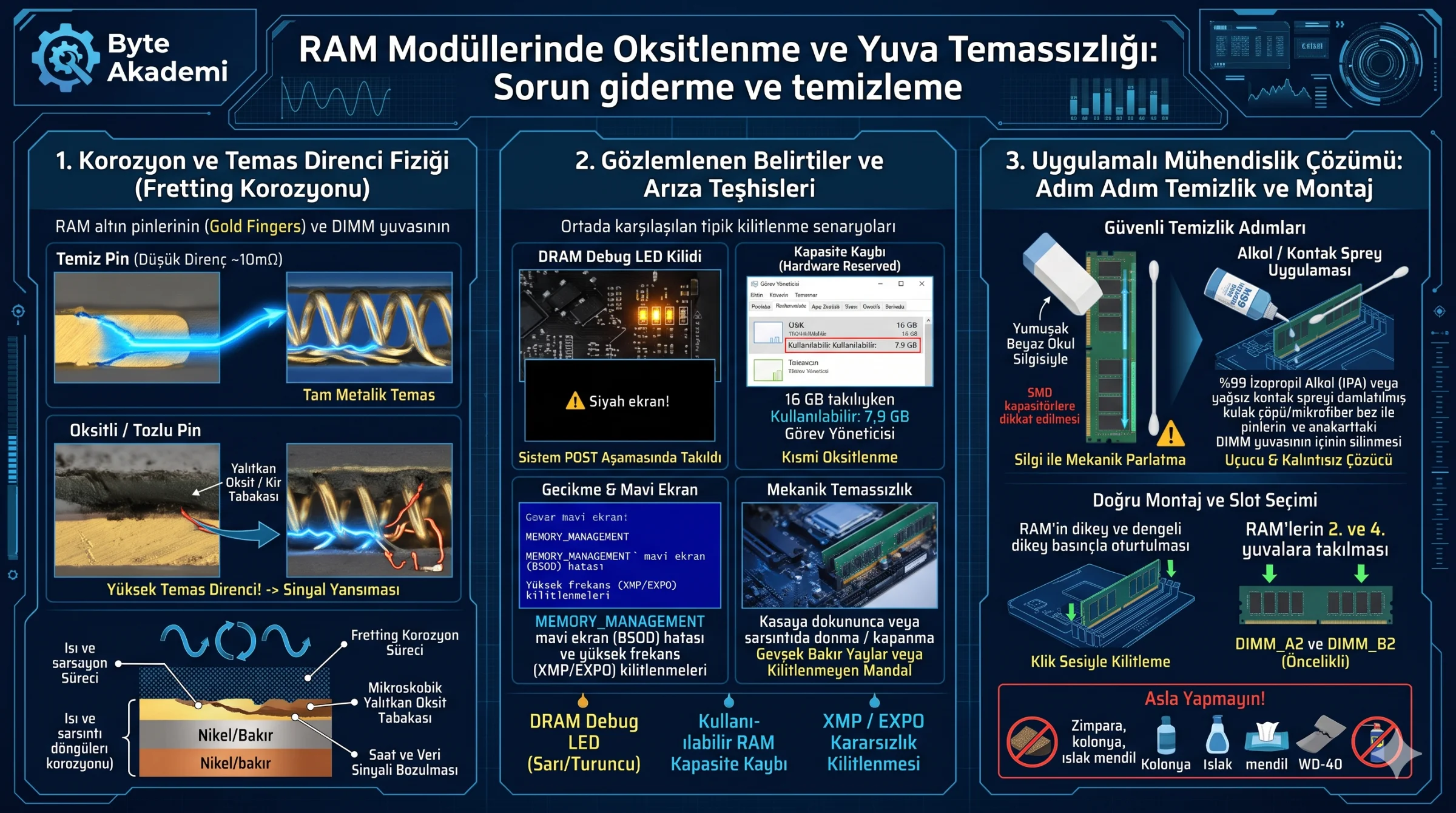
- RAM Contact Oxidation & Improper Slot Population: Gently clean gold DIMM contacts with a soft rubber eraser and test a single stick firmly seated in slot DIMM_A2.
- Corrupted CMOS / BIOS Configuration: Unplug the PC and remove the coin-cell CR2032 CMOS battery for 5 minutes (or short the
CLRTC / JBAT1jumper) to clear unstable overclock profiles. - GPU PCIe Sag or Unseated 12VHPWR Connector: Heavy GPUs can pull away from PCIe x16 contacts, while partially seated 12V-2x6 sense pins disable GPU power delivery.
- Display Cable Plugged Into Motherboard I/O: Ensure HDMI/DisplayPort cables connect directly to the discrete GPU rather than motherboard ports (especially on iGPU-less CPUs like Intel "F" SKUs).
- Uneven CPU Cooler Mounting Pressure: Over-tightening one side of a heatsink warps socket contact, breaking memory channel traces and causing DRAM POST loops.
- Outdated BIOS Firmware for New CPUs: Dropping a newer-generation processor into an older board requires updating microcode via the rear BIOS Flashback button.
- Shorted NVMe SSD or Faulty USB Peripheral: Disconnect all drives and external USB devices to verify whether a shorted controller is halting BIOS enumeration.
- Blown Motherboard VRM MOSFET: If the system powers on only when the CPU 8-pin EPS cable is unplugged, a shorted VRM stage is tripping PSU protection.
- DisplayPort Pin-20 Backfeed Lockup: Non-compliant DP cables backfeed 3.3V from the monitor into the GPU; power-cycle the monitor for 30 seconds and use certified cables.
- DDR5 First-Boot Memory Training Delay: Fresh DDR5 builds or CMOS resets require 1 to 3 minutes of black-screen memory training before outputting video.
4. Motherboard Debug LED & Beep Code Diagnostic Matrix
| Debug LED / Beep Code | Subsystem | Primary Hardware Culprit | Immediate Action |
|---|---|---|---|
| CPU LED (Red) / Continuous Beep | Processor & VRM | Missing 8-pin EPS cable, bent socket pins, old BIOS | Verify 8-pin power lead and equalize cooler screw tension. |
| DRAM LED (Amber) / 3 Short Beeps | System Memory | Oxidized gold fingers, wrong slot (A1/B1), dead stick | Clean RAM pins with eraser; test single stick in A2. |
| VGA LED (White) / 1 Long 2 Short | Graphics Card | Unseated PCIe x16 card, loose PCIe/12VHPWR power | Reseat GPU firmly and verify PSU power cables click in. |
| BOOT LED (Green) / Video Present | Storage / OS | Dead NVMe SSD, corrupted EFI bootloader | Check drive detection in BIOS storage menu. |
5. Applied Engineering Test: PSU Paperclip & Breadboard Diagnostics
  [PSU PAPERCLIP JUMP TEST — ISOLATING POWER SUPPLY HEALTH]

  1. Disconnect the PSU completely from the motherboard, GPU, and all drives.
  2. Hold the 24-pin ATX connector with the retention clip facing toward you.
  3. Bridge Pin 4 (PS_ON# - Green) and Pin 5 (Ground/COM - Black) on the top row
     using an insulated metal paperclip.
  4. Flip the PSU switch to "1":
     • PSU fan spins consistently: PSU triggers properly (suspect Motherboard/RAM).
     • PSU fan remains dead: The power supply unit has failed internally.
6. Frequently Asked Questions (FAQ)
Why do chassis fans spin while keyboard and mouse LEDs stay completely off?
Lack of 5V USB peripheral power indicates the motherboard stalled early in the POST sequence (during CPU or DRAM initialization) before USB host controllers initialized.
Why does my PC reboot 3 or 4 times before finally booting into Windows?
This indicates a Memory Training Failure Loop. When XMP/EXPO timings fail stability checks, the BIOS power-cycles several times before reverting to safe JEDEC base speeds.
Which component usually fails first after a severe electrical surge?
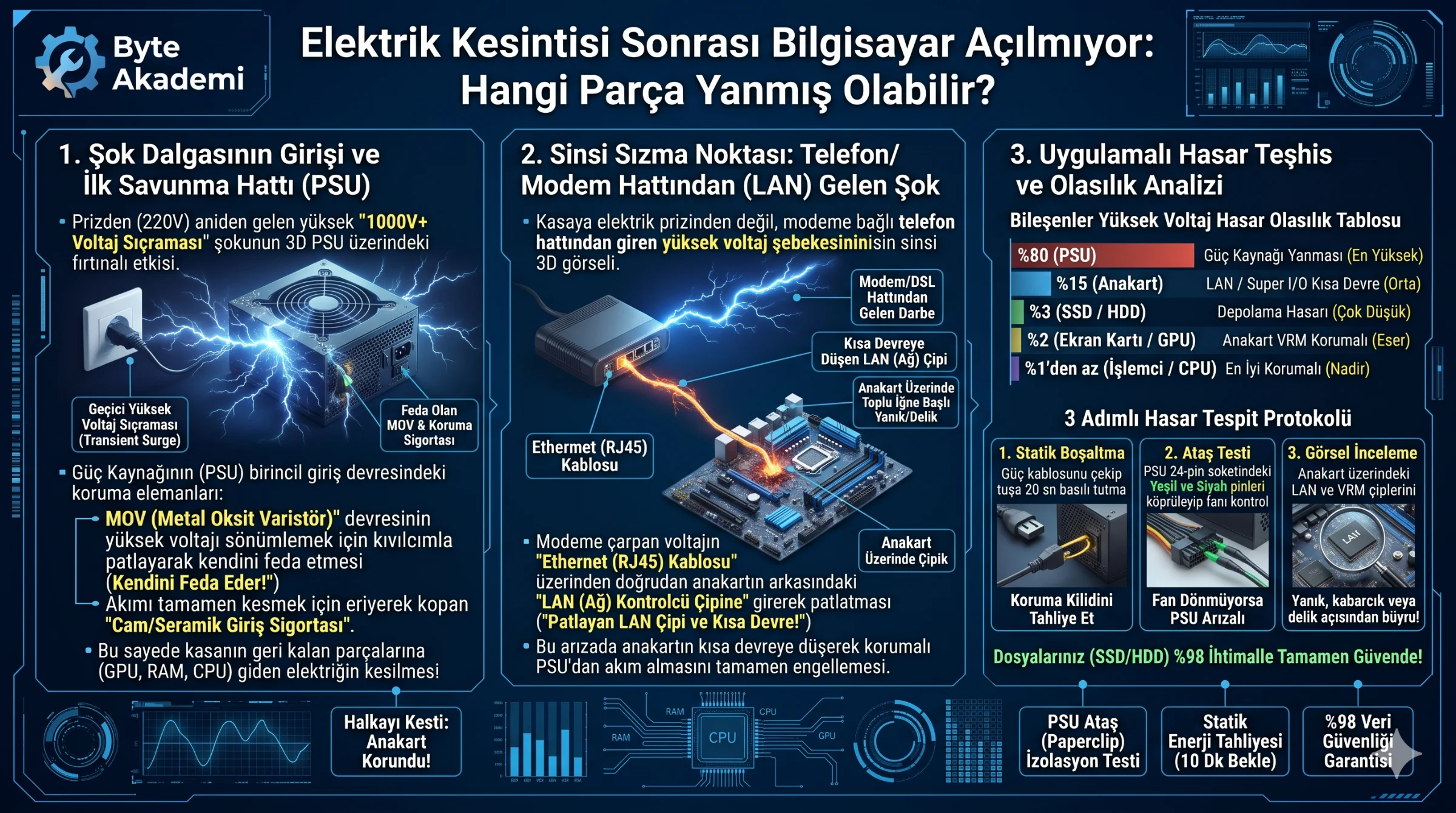
The PSU's primary surge stage—specifically the MOV (Metal Oxide Varistor) and input fuse—sacrifices itself first to protect downstream components, though low-grade PSUs can pass surges into motherboard Ethernet or audio controllers.