Image production used to be one of the most time- and budget-consuming areas of the digital age. For a website cover, a YouTube thumbnail or a concept hardware illustration, you either had to wrestle for hours with complex 3D and illustration software or pay serious money to copyright-protected stock libraries. The AI revolution, however, has flattened these traditional creative barriers.
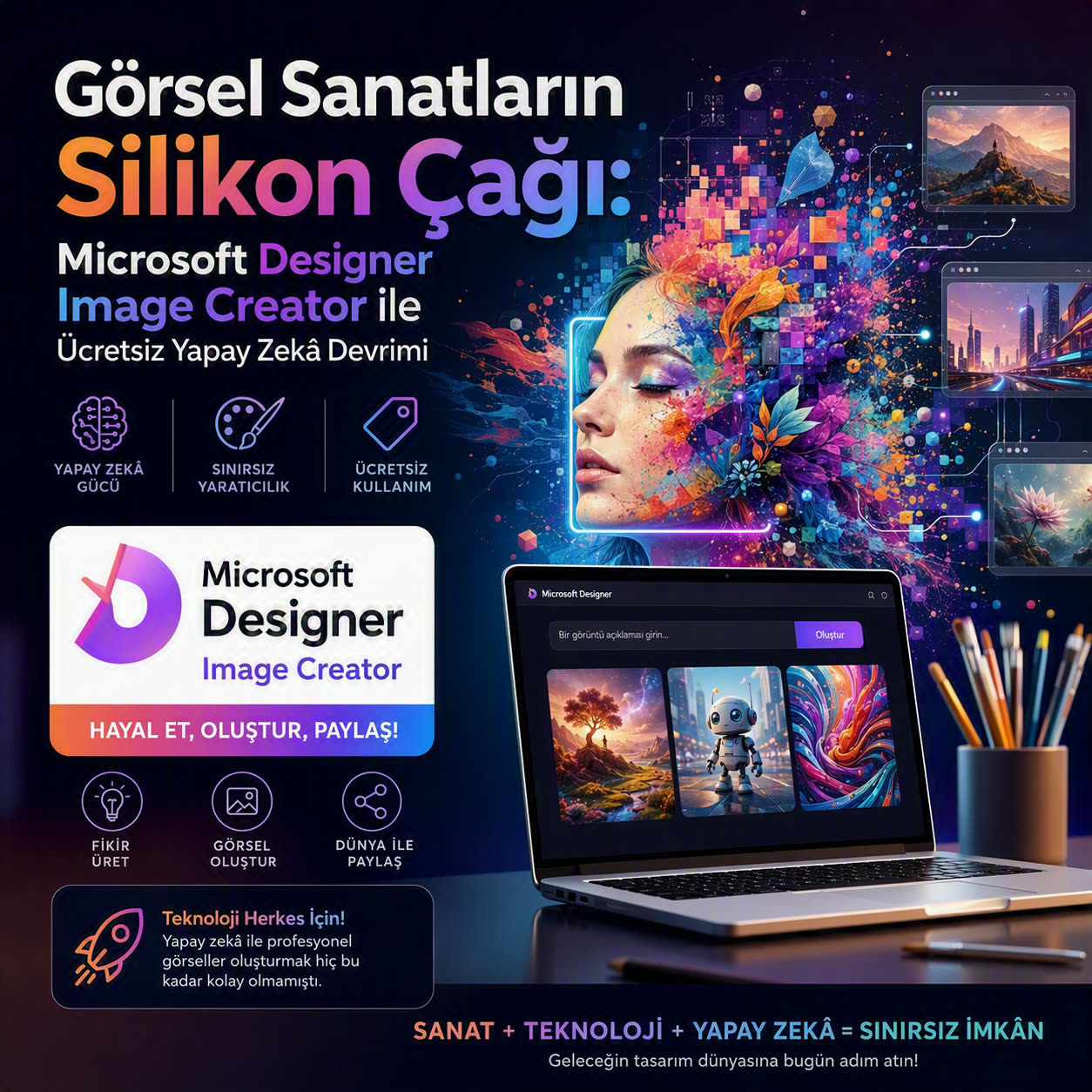
Powered by Microsoft's partnership with OpenAI and its massive Azure supercomputing infrastructure, Microsoft Designer Image Creator (formerly Bing Image Creator) offers a free image factory that anyone can access. Turn the scene in your head into a text prompt of a few words, and within seconds you can generate images in photorealistic, cyberpunk or illustration styles. Let's take a look at the huge hardware investment behind this system and the tricks of becoming a skilled prompt writer.
Microsoft Designer Image Creator turns complex prompts into high-resolution digital artworks using diffusion networks running on Azure cloud infrastructure.
The Power Under the Hood: Azure and the Diffusion Architecture
Although many users see this tool as a simple web interface, behind it runs a massive Azure Cloud Data Centre powered by tens of thousands of NVIDIA H100 and Blackwell AI clusters. The system uses a customised derivative of the DALL-E 3 architecture, OpenAI's most advanced image synthesis engine.
The image generation process is based on the principle of "Reverse Diffusion". Your prompt is first broken down into semantic vectors by text parsers (LLMs). The system then starts with randomly scattered static noise on the canvas (like TV snow) and, following the instructions in your text, cleans up this noise step by step, turning the pixels into a coherent image.
- Free and Fast Access: Anyone with a Microsoft account gets daily fast-generation tokens (Boosts). Even when the tokens run out, image generation continues in the background.
- Integrated with the Designer Ecosystem: You don't just download the images you create; with a single click you can remove the background, add typography or adapt them to poster/social media formats.
- Accurate Text and Typography: The biggest weakness of older diffusion models was their inability to render text inside images. Thanks to the DALL-E 3 backbone, error-free text can be placed on signs, T-shirts or screens.
4 Golden Rules for Becoming a Skilled Prompt Engineer
If you just tell the AI "draw a car", you will get an ordinary, soulless stock image. To achieve the colours, angles and level of detail you want, you need to build your prompt on a modular engineering formula:
| Component | What Does It Express? | Example Keywords |
|---|---|---|
| 1. Main Subject | The entity at the centre of focus | Cyberpunk data centre, quantum processor, robot |
| 2. Art Style | The artistic language of the image | Photorealistic 8K, isometric render, oil painting, anime |
| 3. Lighting and Colour Palette | Atmosphere and colour temperature | Neon cyan and purple tones, cinematic volumetric lighting |
| 4. Camera and Composition | Shooting angle and depth | Macro lens, wide angle, shallow depth of field (bokeh) |
"A futuristic high-tech server room filled with glowing cyan and purple fiber-optic cables, dark industrial aesthetic, cinematic volumetric fog, isometric view, ultra-detailed 8k resolution, Unreal Engine 5 render style."
Tips That Make the Generation Process Easier
Although the system understands prompts in languages other than English, such as Turkish, very well, the global training datasets of diffusion models are predominantly in English; so for the most specific and flawless results, writing your prompts in English or using translation tools noticeably improves the level of detail.
You can also send the image you create straight to the Microsoft Designer canvas and scale it with a single click to the sizes of an Instagram post, a LinkedIn banner or a website hero banner. This workflow cuts the effort a non-designer developer or content creator would spend over hours down to a matter of minutes.
Which is your favourite: Midjourney, Stable Diffusion or Microsoft Designer Image Creator? Share your most interesting prompt results in the comments!